

One tap
Choose an outcome the moment the call ends.
After every call, tag how it went. Outcomes keep your pipeline, dashboard and reports accurate.
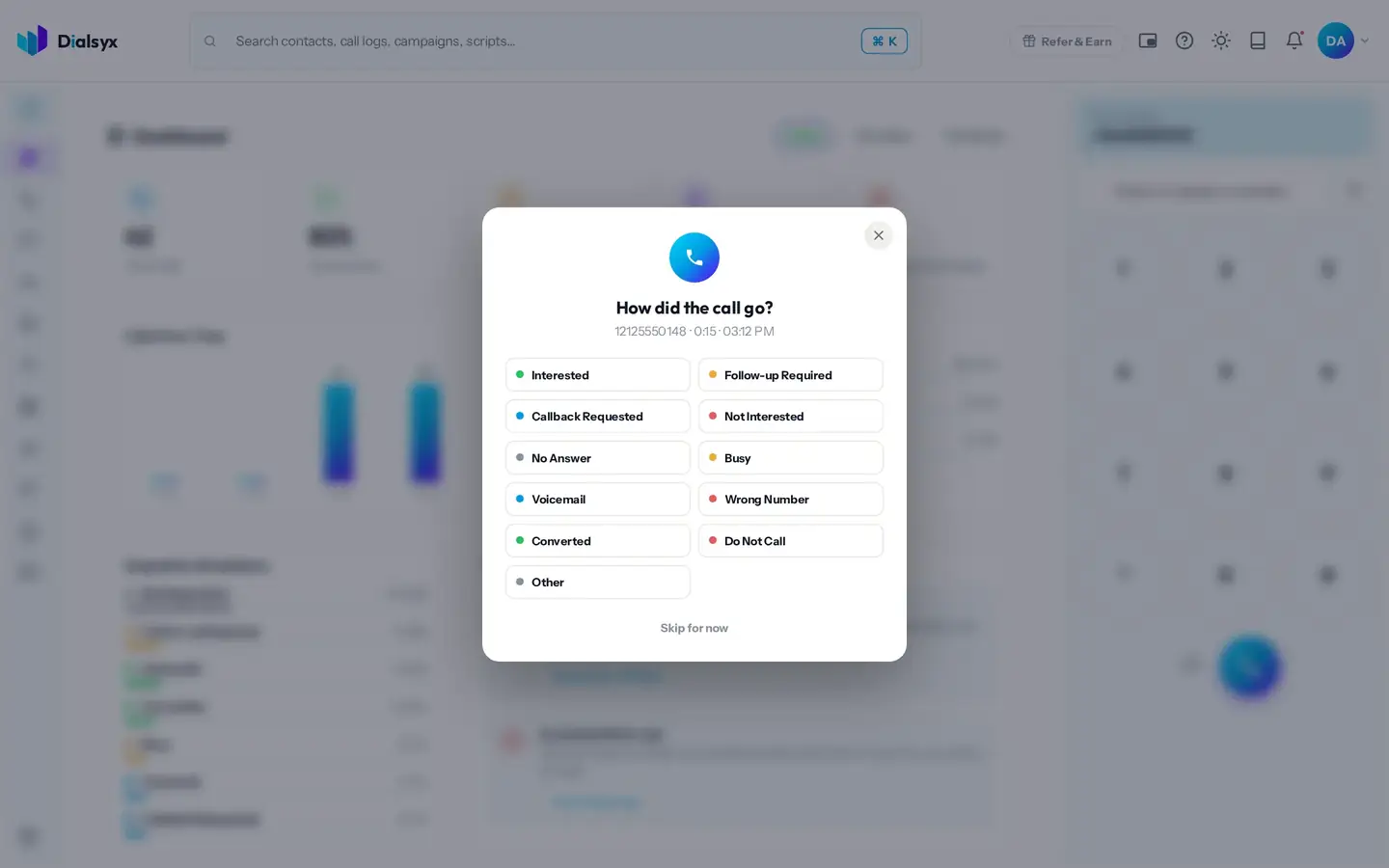
Choose an outcome the moment the call ends.
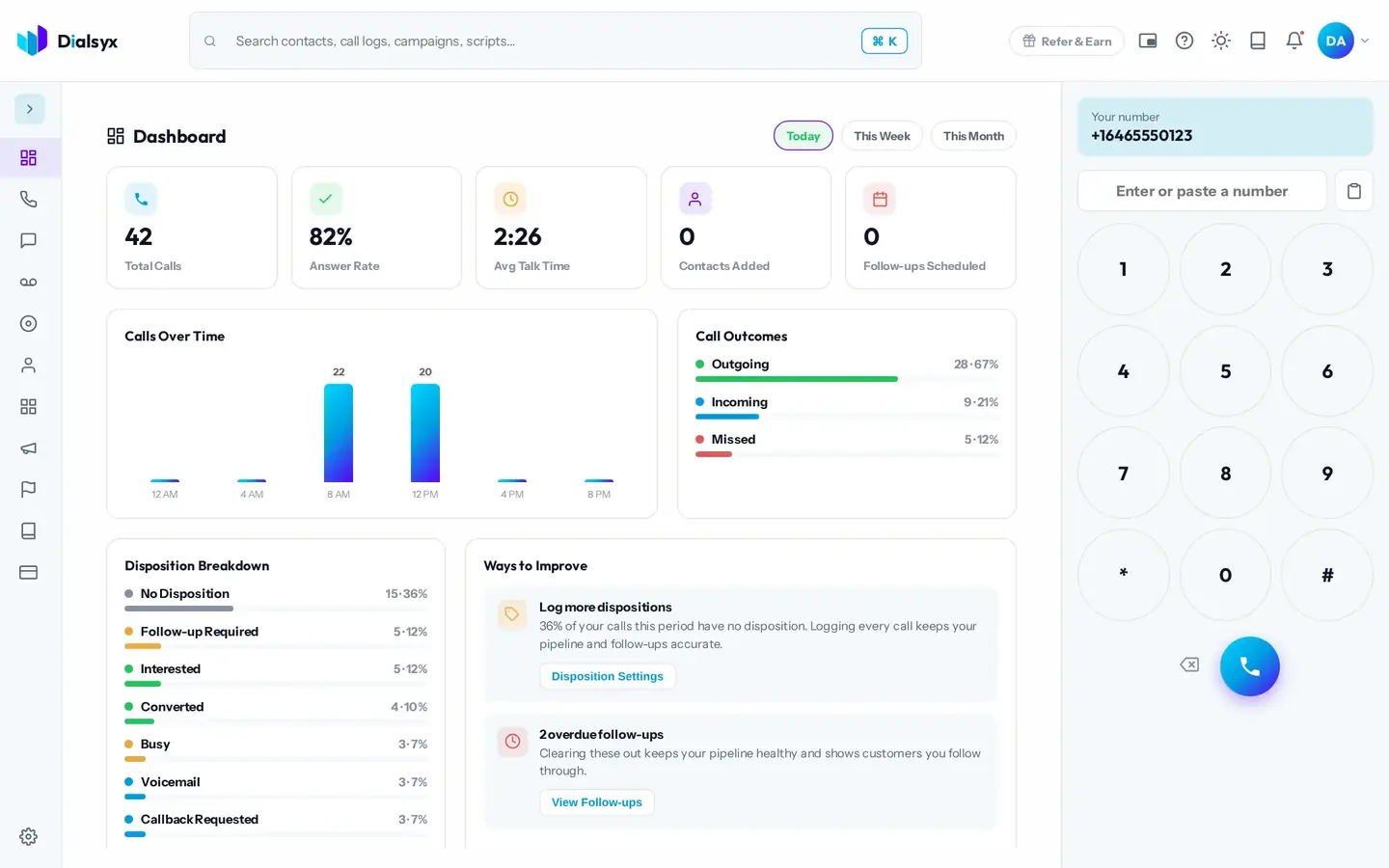
Your dashboard shows how your calls end.
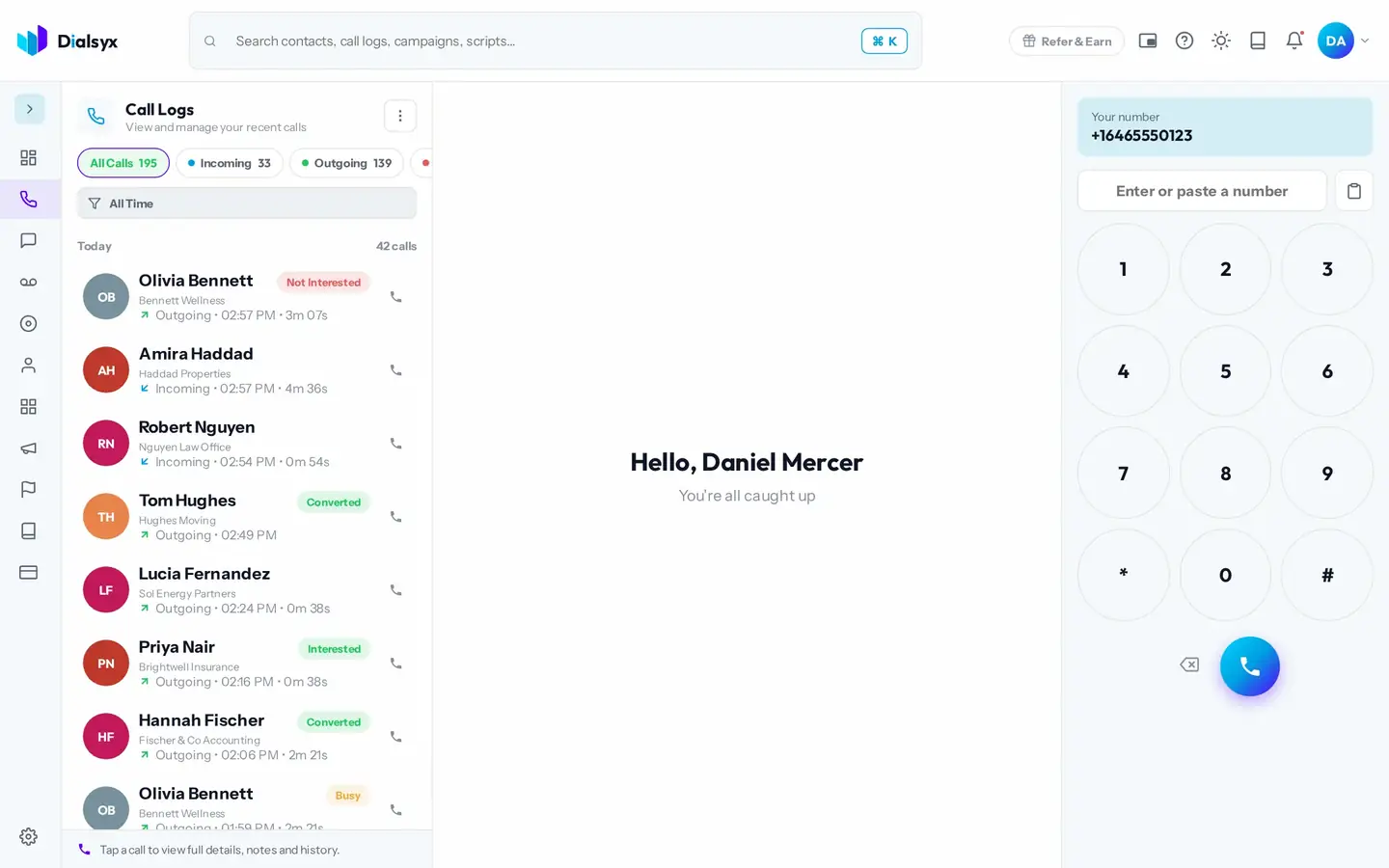
Outcomes keep contacts in the right stage.
Real screens from the Dialsyx dialer.
Pick from a short, clear list.
See how calls end across the day, week or month.
Every call row shows its outcome.
Step-by-step instructions with screenshots.
You can choose which outcomes appear and how they are used in Settings.
Calls without an outcome show as No Disposition, and the dashboard reminds you to log them.
Yes. After approval you can take a trial of a couple of hours or a demo meeting, case by case.
Guides that go with this page.
 What is a business phone system? A plain guide for small teamsA business phone system gives your team shared numbers, call routing and records. Here is how modern cloud systems work and what to look for.2 min read
 VoIP vs landline for business: what is the real difference?VoIP calls travel over the internet, and landlines use copper lines. Compare cost, setup, reliability and features before you choose for your business.2 min read
 How much does a business phone system cost per user?A cloud business phone is usually priced per user per month. See what is included, which extras cost more and how to compare providers fairly.2 min read