

Your stages
Add, rename, recolour and reorder stages to match how you sell.
See your whole pipeline on one board and move leads forward with a drag. Included on every user.
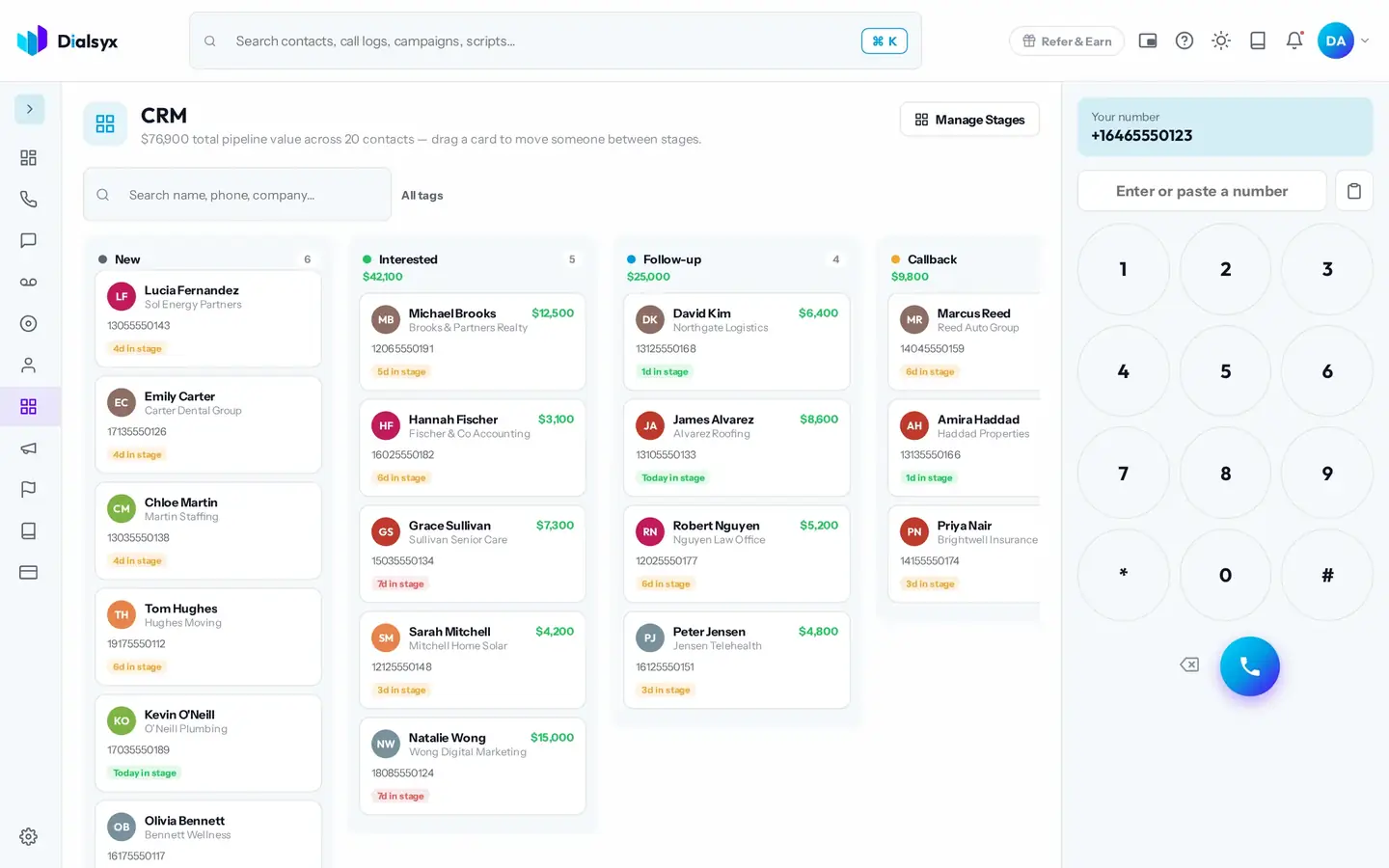
Add, rename, recolour and reorder stages to match how you sell.
The total value shows at the top.
Every call and note sits on each contact.
Real screens from the Dialsyx dialer.
Contacts appear as cards in columns.
Open a card to see everything about the person.
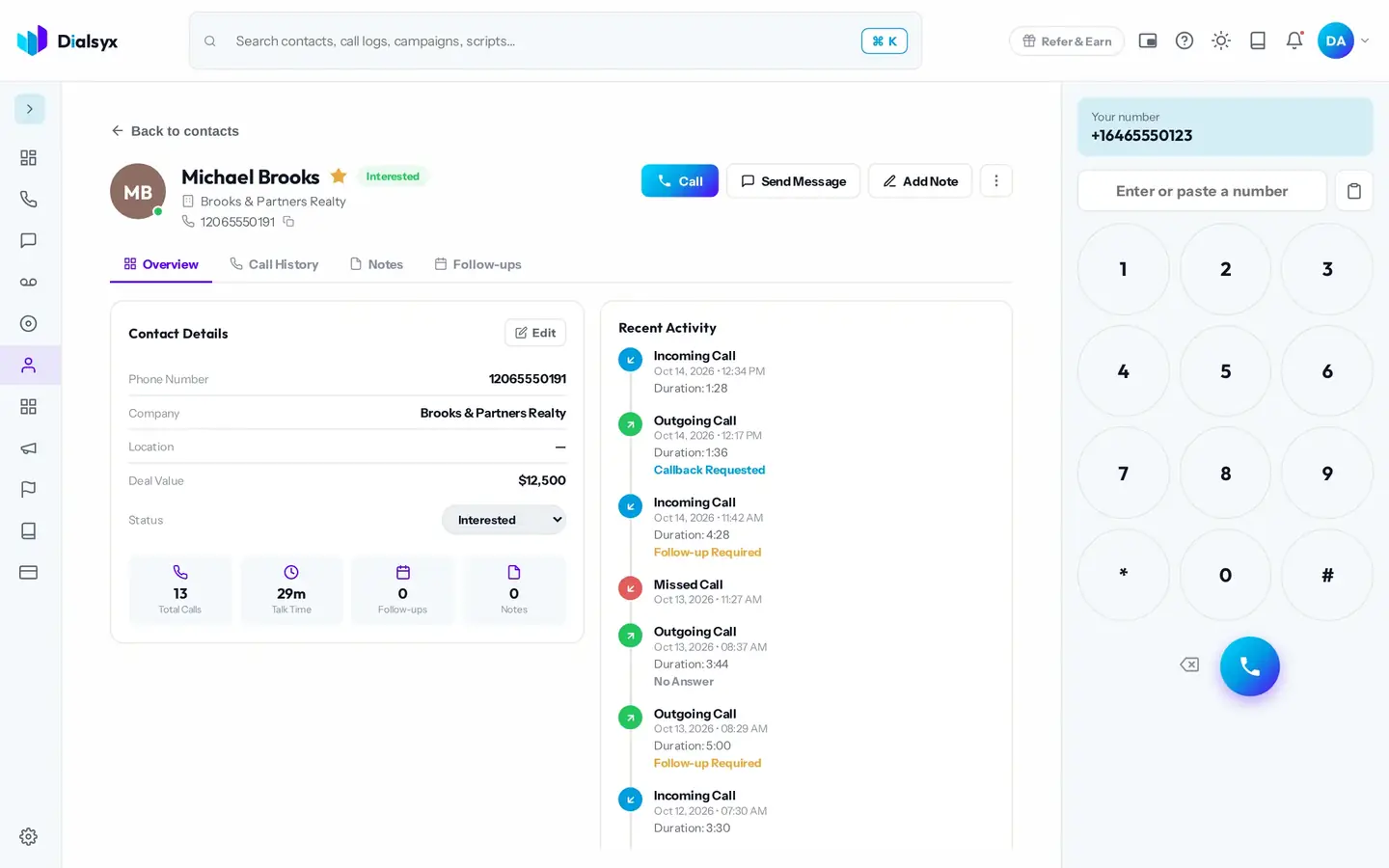
Make the board fit your process.
Step-by-step instructions with screenshots.
Yes. Use Manage Stages to add, rename, recolour and reorder them.
No. The CRM board is included on every user.
Yes. After approval you can take a trial of a couple of hours or a demo meeting, case by case.
Guides that go with this page.
 A simple lead follow-up system in seven stepsMost leads are lost between the first call and the second. Use this seven-step system to follow up on time and keep every lead moving.2 min read
 Call scripts that work: five templates you can adaptA good call script is an outline, not a speech. Use these five templates for sales, follow-up, support and appointments, then make them your own.2 min read
 Cold calling tips for sales teams that respect the customerCold calling still works when it is relevant and respectful. Use these practical steps to get more conversations and fewer hang-ups.2 min read