

Import in seconds
Paste rows or import a CSV or Excel list.
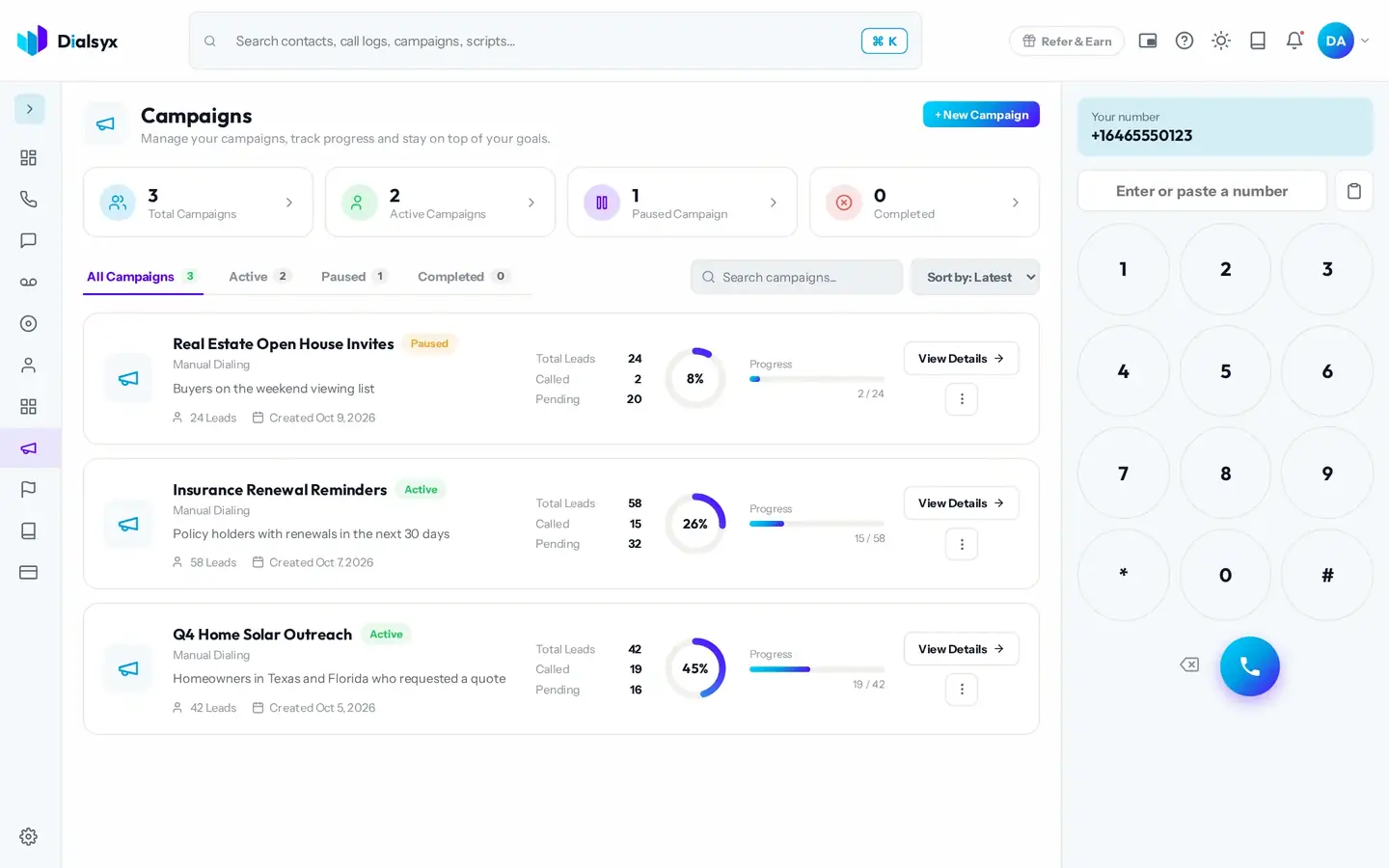
Import a list, preview each lead and move to the next call automatically. Campaigns and auto-dial is an add-on at $8 per user a month.
Paste rows or import a CSV or Excel list.
Preview dialing or auto-dial moves you on after each call.
A progress bar and counters show how far you have got.
Real screens from the Dialsyx dialer.
See every campaign and how far it has got.
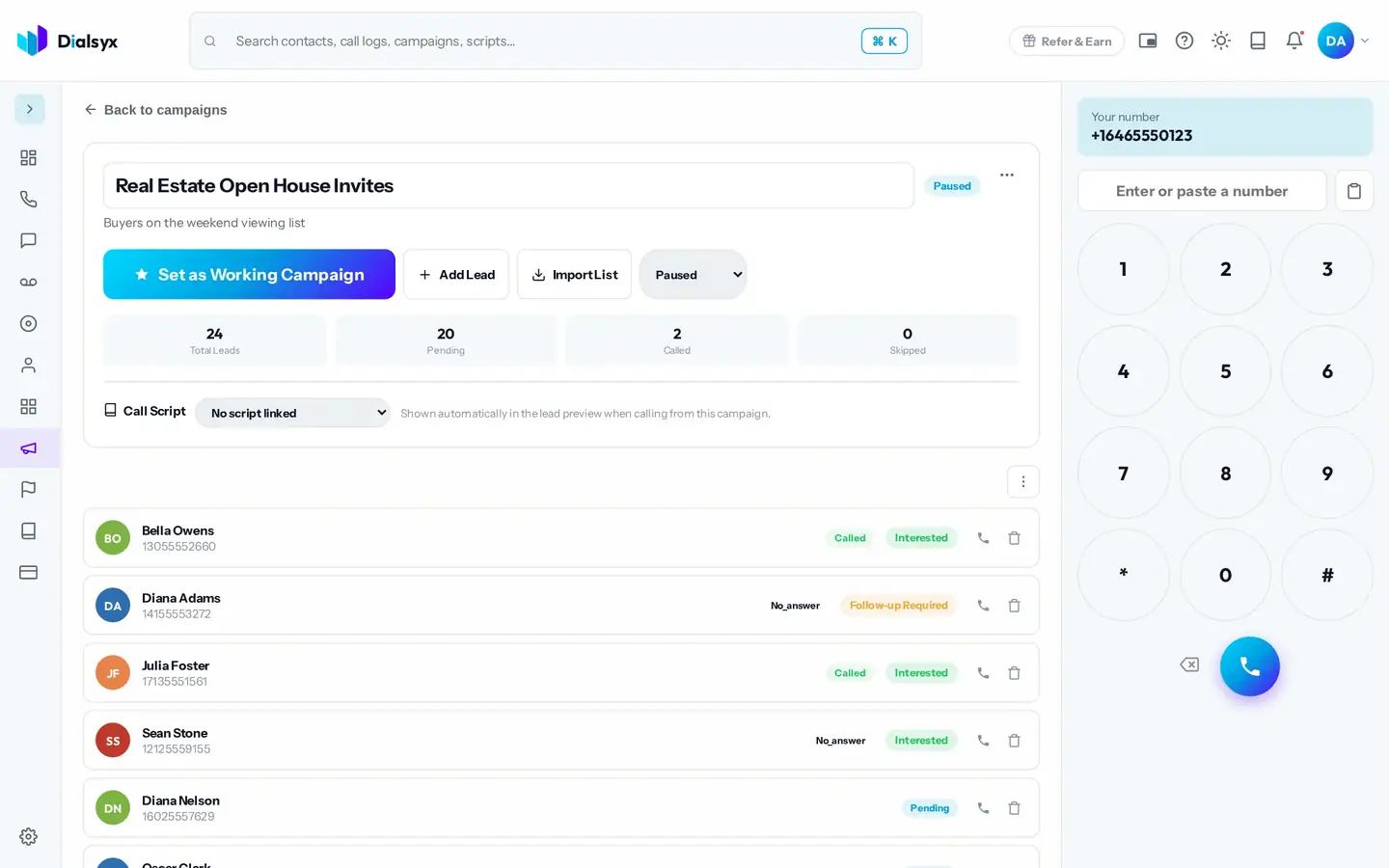
Each lead shows its status and last outcome.
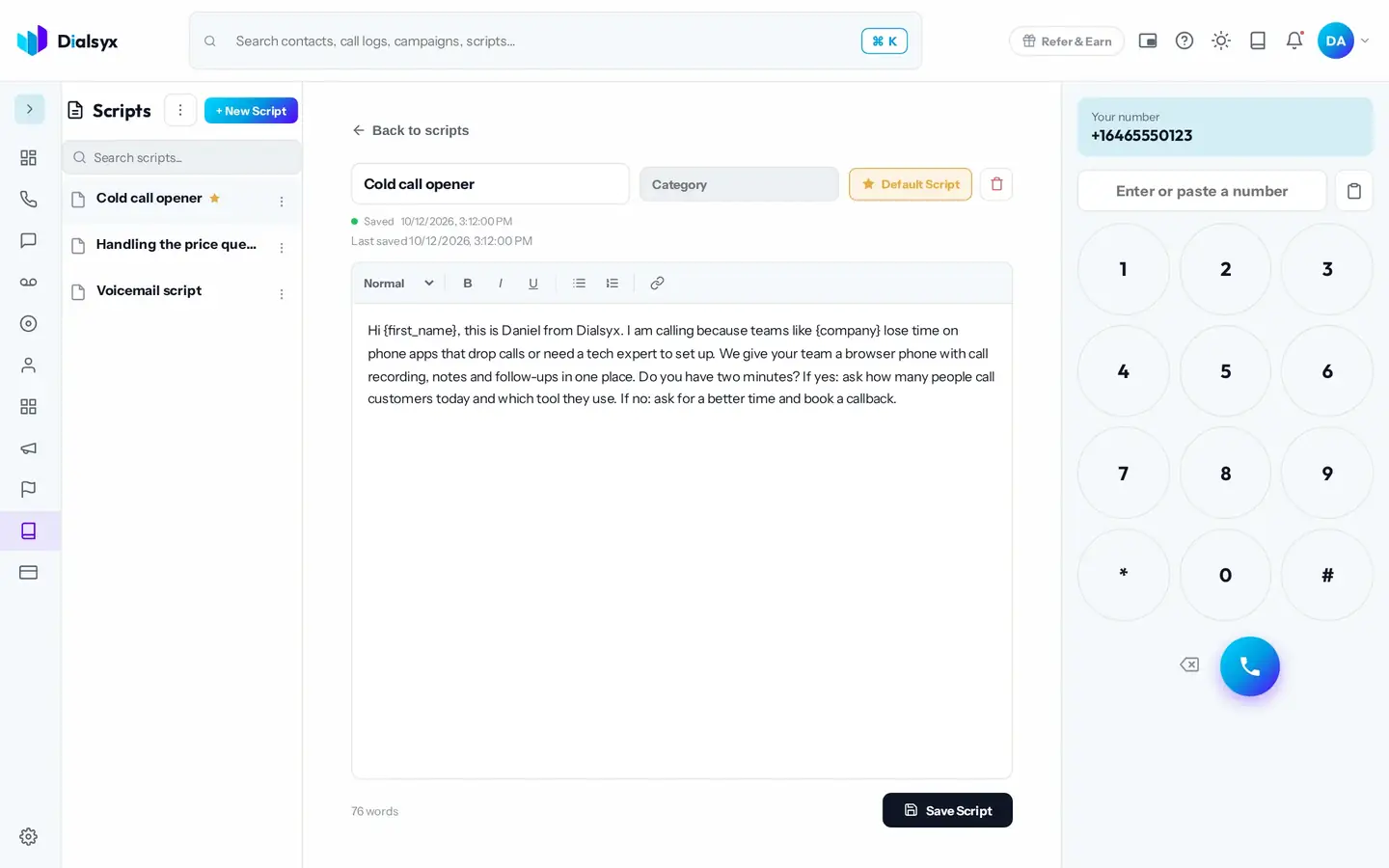
Keep your pitch handy and never lose a callback.
Step-by-step instructions with screenshots.
You can import leads from CSV or Excel lists. Contact imports are up to 5,000.
No. A person speaks on every call. Auto-dial only moves you to the next lead.
Yes. After approval you can take a trial of a couple of hours or a demo meeting, case by case.
Guides that go with this page.
 Power dialer vs auto dialer vs predictive dialer: which do you need?Dialers speed up outbound calling, but they are not all the same. Compare preview, power and predictive dialers and learn which suits your team.2 min read
 Cold calling tips for sales teams that respect the customerCold calling still works when it is relevant and respectful. Use these practical steps to get more conversations and fewer hang-ups.2 min read
 Why your business calls show as 'Spam Likely' and how to fix itLegitimate calls can be flagged as spam. Learn why it happens, what STIR/SHAKEN does and the steps to protect your caller ID reputation.2 min read